
Network Settings – RoomHub
Edited
This guide explains how to change network settings on RoomHub.
Access Network Configuration
Open the RoomHub WebGUI
Select the menu in the top left corner
Go to Settings
Select Network Configuration
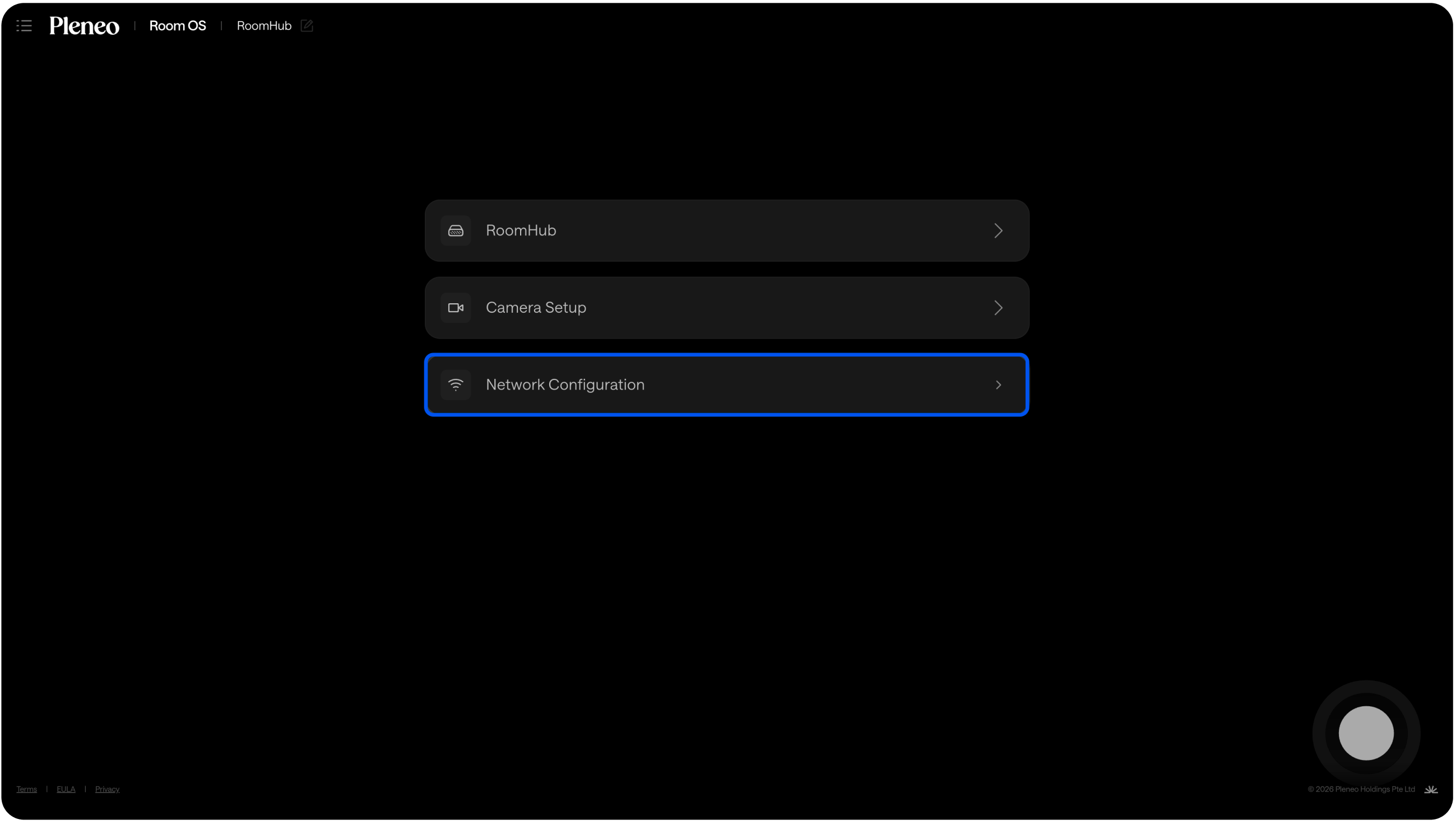
You’ll now see both LAN ports listed.
Choose the Correct LAN Port
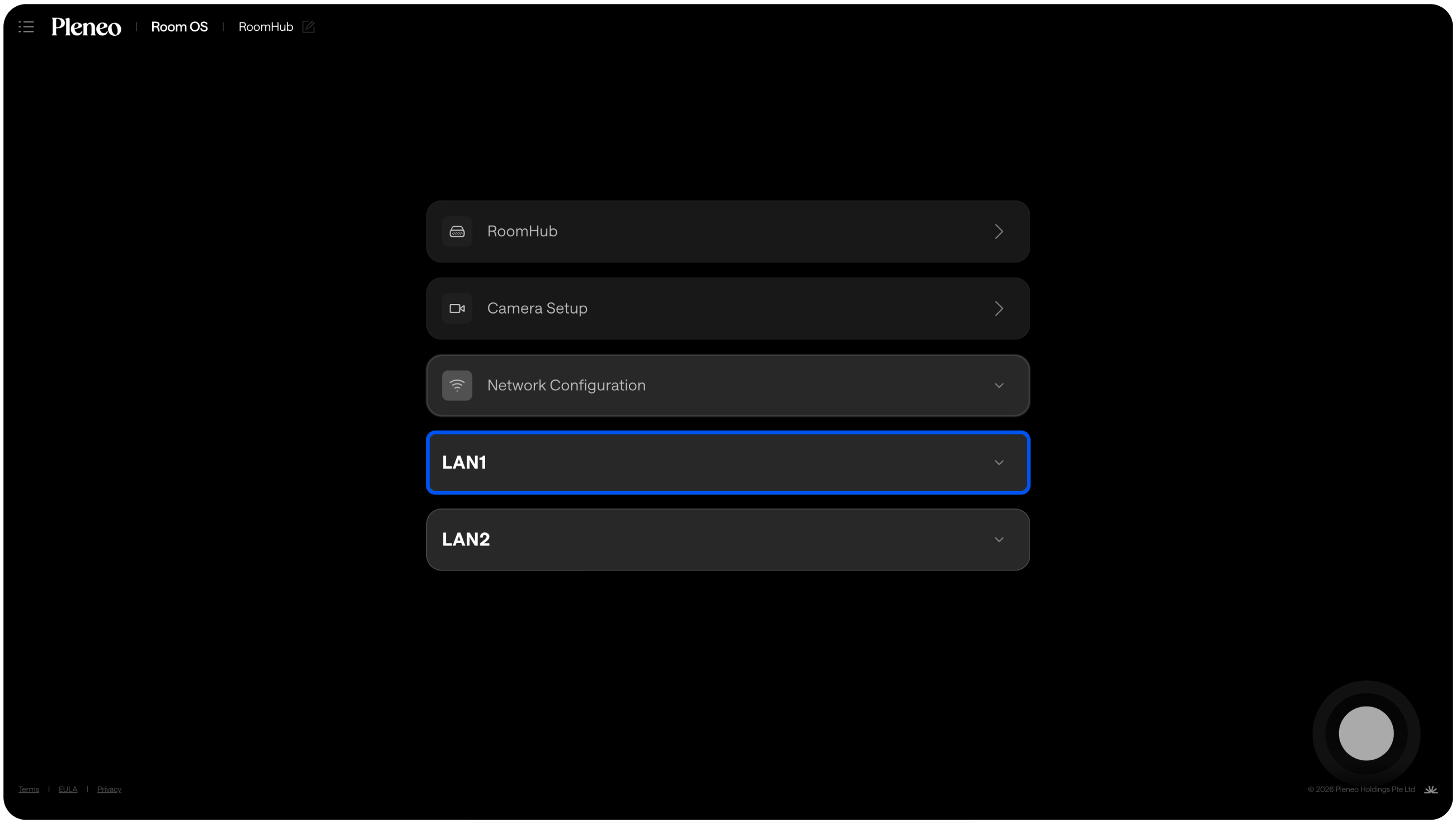
RoomHub has two independent ports:
LAN 1 = Control network
LAN 2 = AV Network
Select the port you want to configure.
Change IP Settings
By default, both ports are set to:
Obtain IP Address Automatically (DHCP)
To use a manual IP address:
Turn off Obtain IP Address Automatically
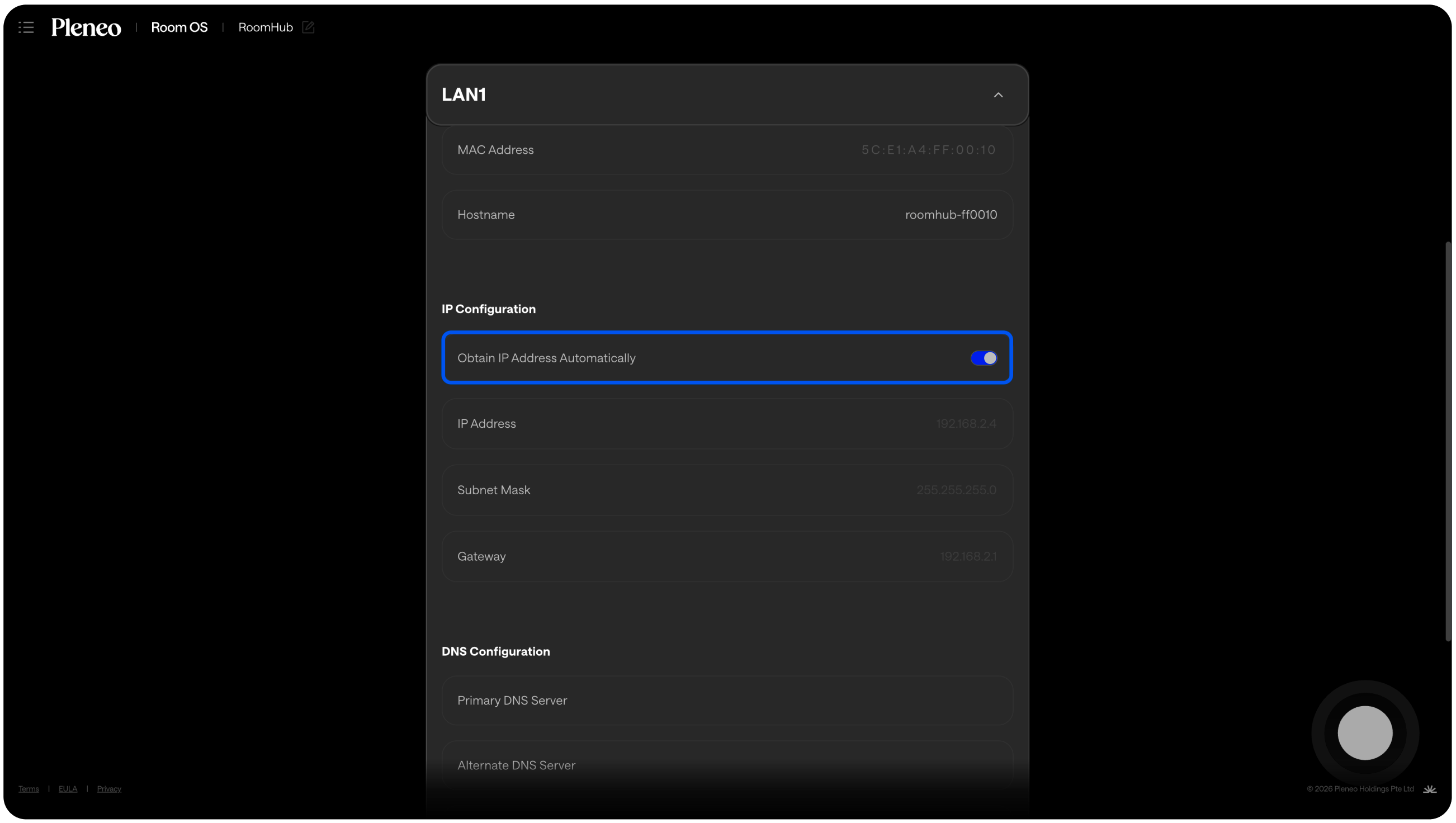
Enter your desired:
IP address
Subnet mask
Gateway (if required)
Select Apply Configuration
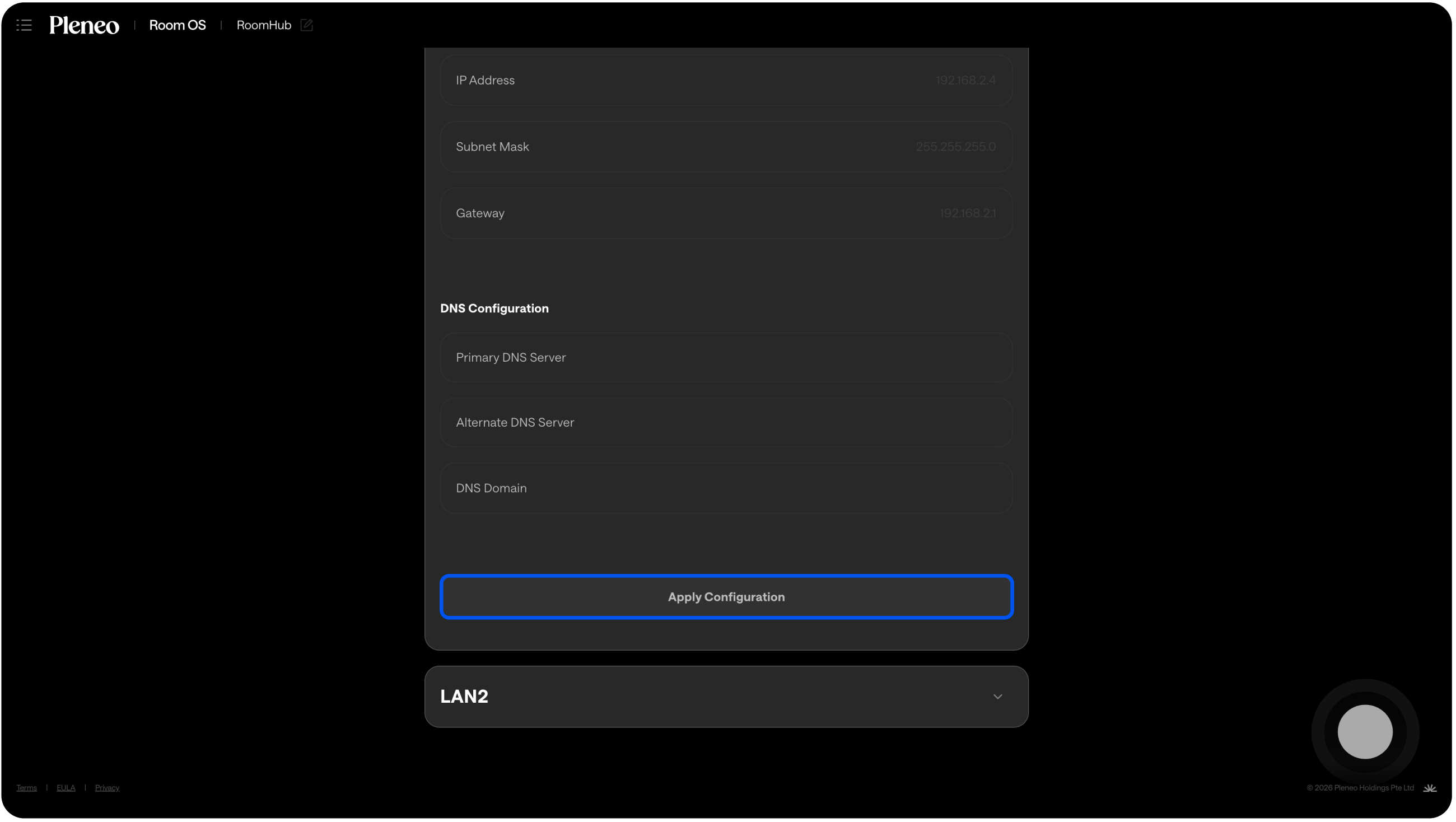
The new settings will be saved immediately.
In Summary
LAN 1 = Control network
LAN 2 = AV Network
Default setting = DHCP
Manual IP = disable DHCP and enter details