
What is an AV network MAC address - or Dante network MAC?
Overview
In RoomOS, the AV Network refers to the dedicated network used for audio and video transport, such as Dante audio and video-over-IP.
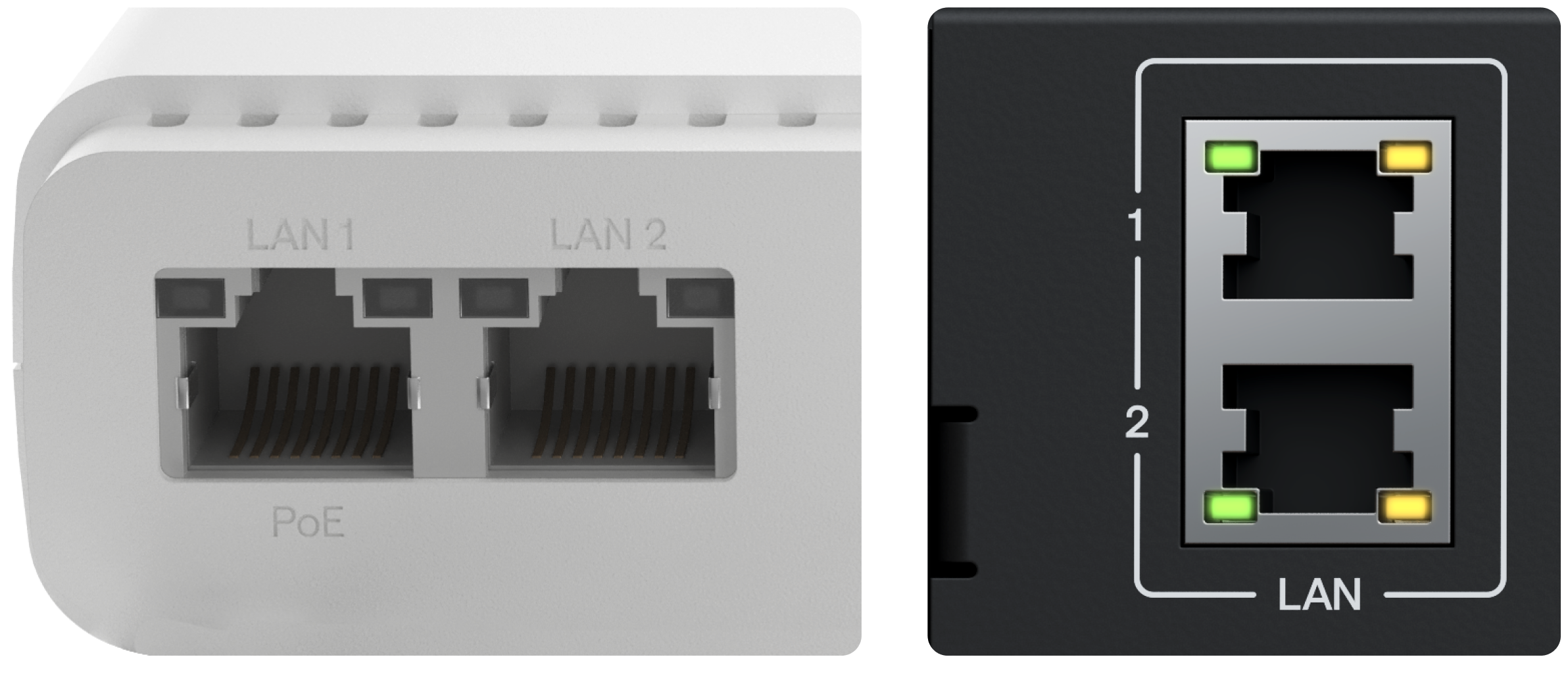
Each Pleneo Device Hub has two LAN ports:
LAN 1, control, power, and general system traffic
LAN 2, the AV Network
This separation is intentional. It keeps real-time media traffic stable, predictable, and easy to manage.
What Is an AV Network MAC Address?
Every network port has a MAC address.
It’s a unique identifier used by the network to recognize a device.
In RoomOS:
The AV Network MAC address refers specifically to the MAC address of LAN 2
This is the identity used for Dante audio and other AV-related traffic
When you see “AV Network” in RoomOS, it always means LAN 2 on a DeviceHub.
Why AV Traffic Is Separated
Audio and video systems behave differently from normal IT traffic.
AV networks typically carry:
Dante audio streams
Video-over-IP traffic
Clocking and synchronization data
This traffic:
Is continuous
Uses high bandwidth
Is sensitive to delay and packet loss
Because of this, AV networks usually require:
IGMP snooping
QoS rules
Dedicated VLANs
Separate monitoring and management
Keeping AV traffic isolated improves reliability and makes troubleshooting easier.
How Pleneo Handles This
Pleneo Device Hubs are designed with physical network separation.
LAN 1
Power (PoE)
Control and management
Cloud or local access
LAN 2
AV Network only
Dante and media traffic
Uses the AV Network MAC address
This allows installers and IT teams to:
Connect AV traffic to a dedicated AV switch
Apply AV-specific network settings
Keep corporate and AV traffic separate
No VLAN complexity is required if physical separation is preferred.
Typical Installation Example
A common setup looks like this:
LAN 1 connected to the corporate or control network
LAN 2 connected to a dedicated AV switch
Each network can then be configured independently, using the right rules for its purpose.
Why This Matters
Separating the AV Network:
Improves audio and video stability
Reduces the risk of network congestion
Aligns with standard AV installation practices
Makes large deployments easier to scale and support
It also gives IT teams clear ownership boundaries between AV and corporate networks.
In Summary
The AV Network MAC address identifies the dedicated AV port on Pleneo Device Hubs.
Key points:
Pleneo Device Hubs have two LAN ports
LAN 1 = control, power, and management
LAN 2 = AV Network (Dante and AV traffic)
AV traffic is physically isolated for reliability and predictability
If you’re planning or managing an AV installation, think of LAN 2 as the "AV lane", built specifically for real-time media