
System Test in Pleneo Cloud
This guide shows how to run a remote system test for any Pleneo Room using Pleneo Cloud.
Overview
Pleneo Cloud lets you test a room at any time, without being on-site.
A System Test checks all devices assigned to the room, helping you confirm that everything is connected, functioning, and ready for use.
Run a System Test
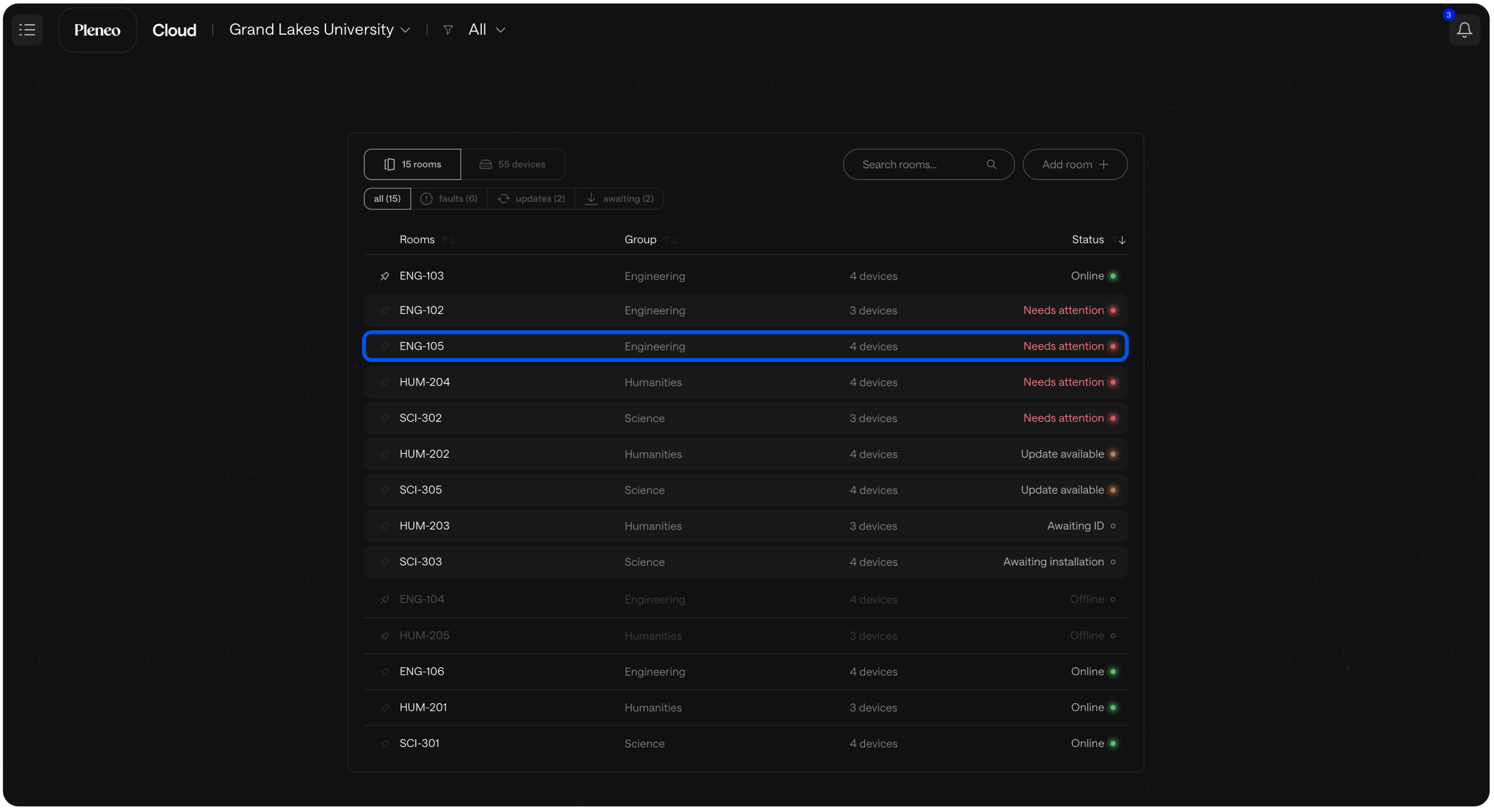
In the main view, select the room you want to test.
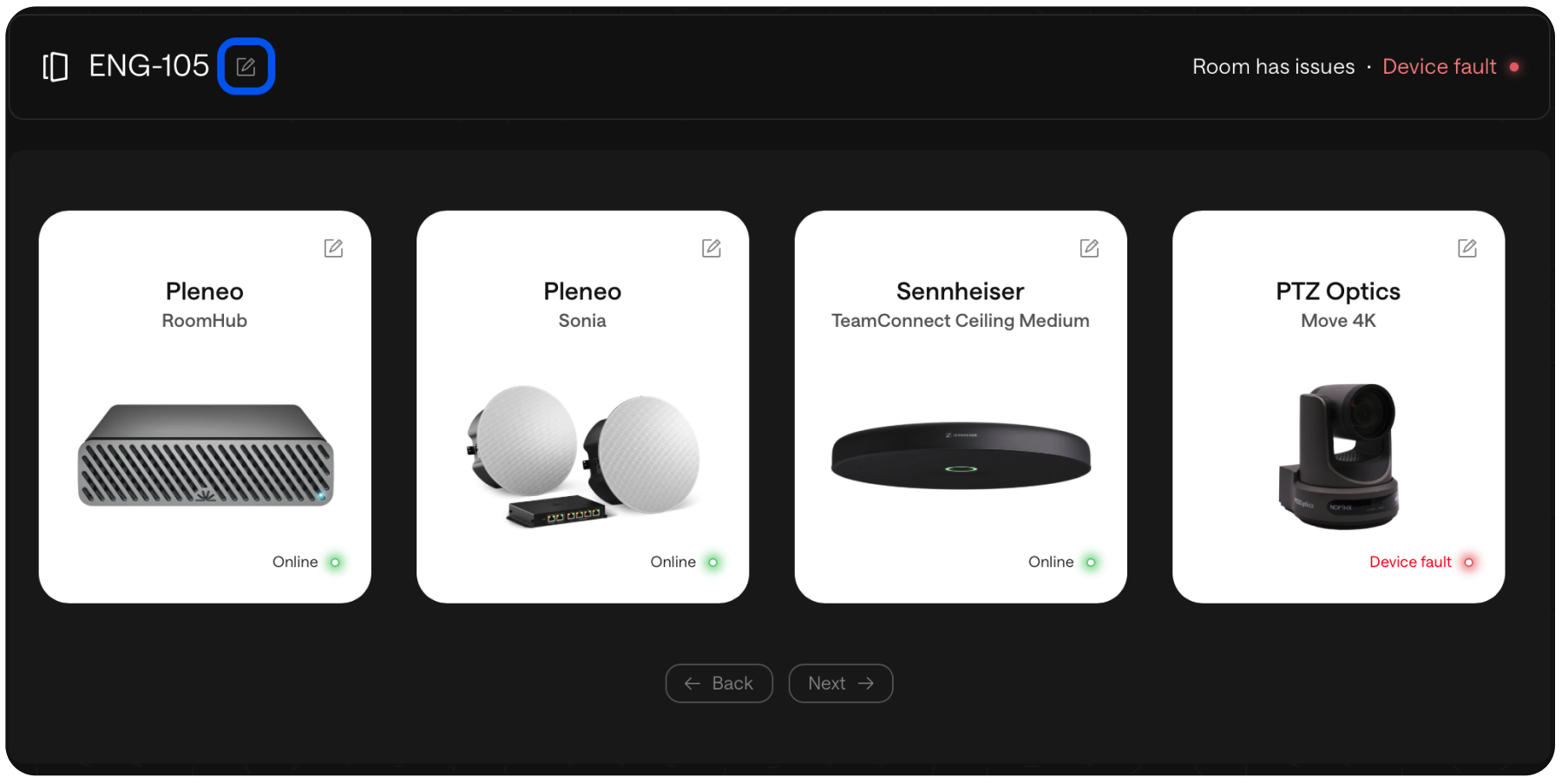
Open Room Edit.
Select System Test.
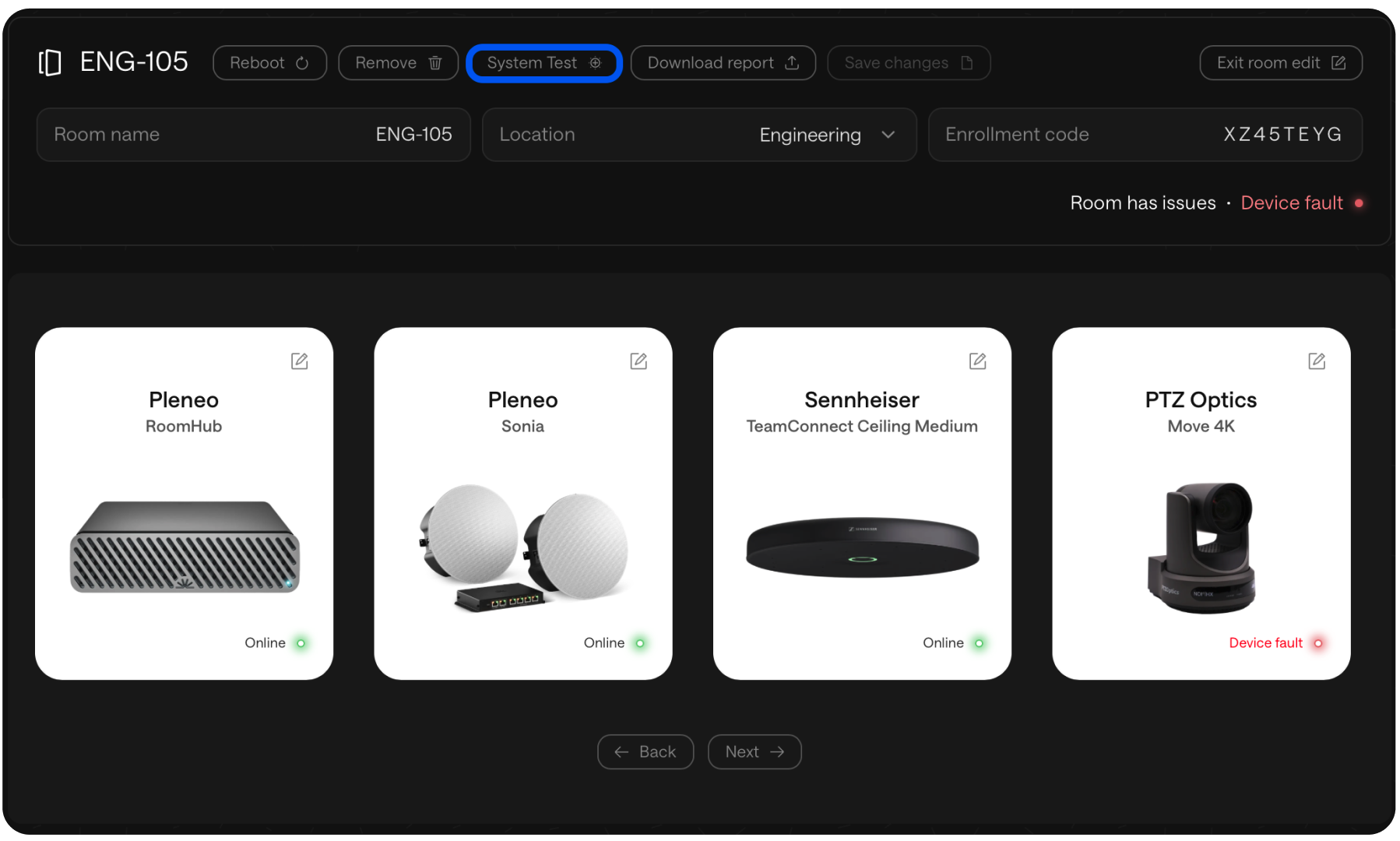
What Happens Next
Pleneo Cloud triggers a full system test, similar to the validation performed during AI AutoDeploy.
The test checks:
Device connectivity
System functionality
Overall readiness of the room
View the Results
Once the test is complete, the results are available in a detailed report.
This report gives you a clear overview of system health and highlights anything that may need attention.
Why It Matters
System Test lets you:
Verify room functionality remotely
Catch issues before users enter the room
Maintain consistent performance across sites
A fast, reliable way to keep every Pleneo Room running smoothly, without guesswork or site visits.