
Switching between Rooms and Devices
Edited
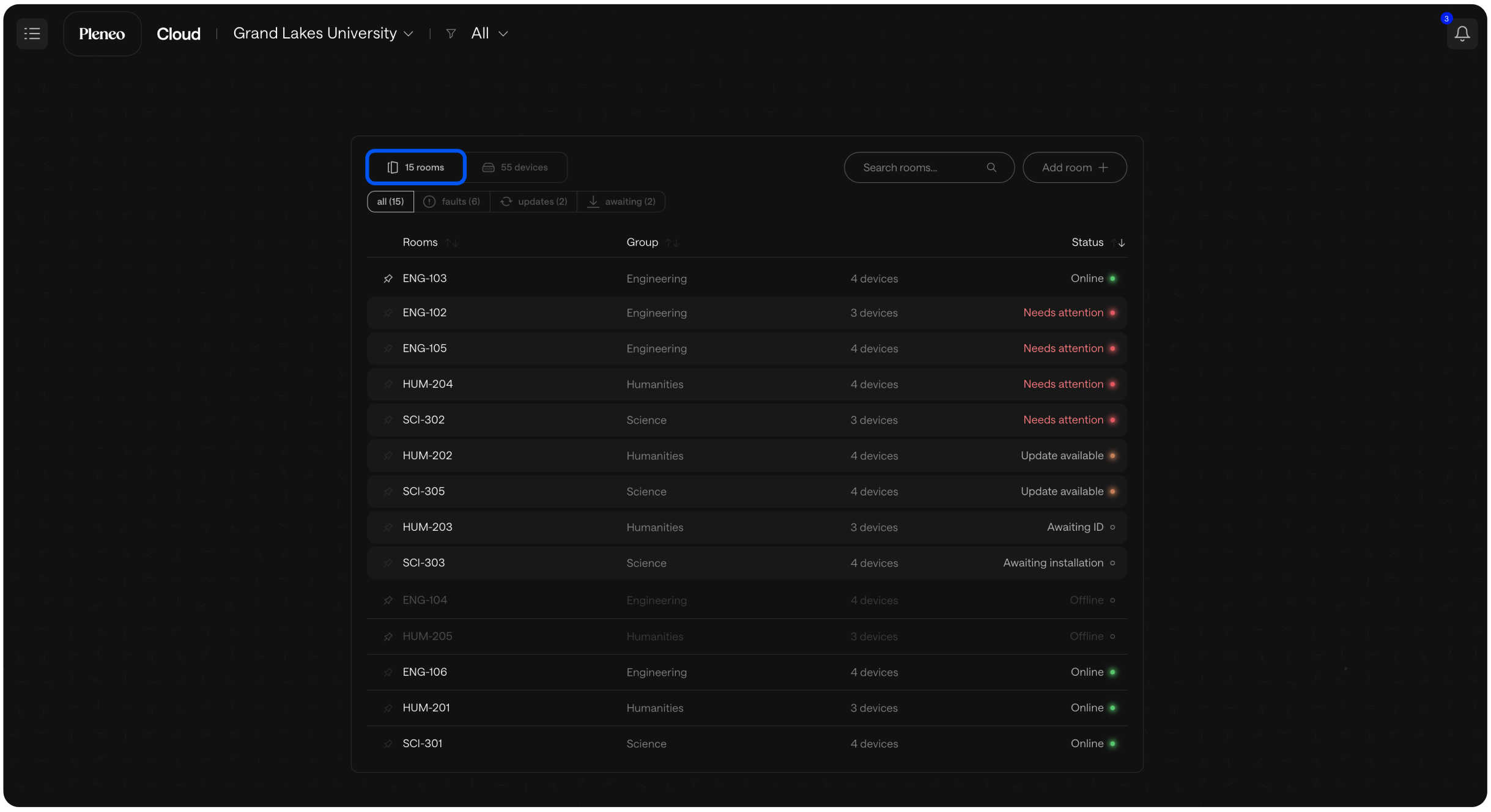
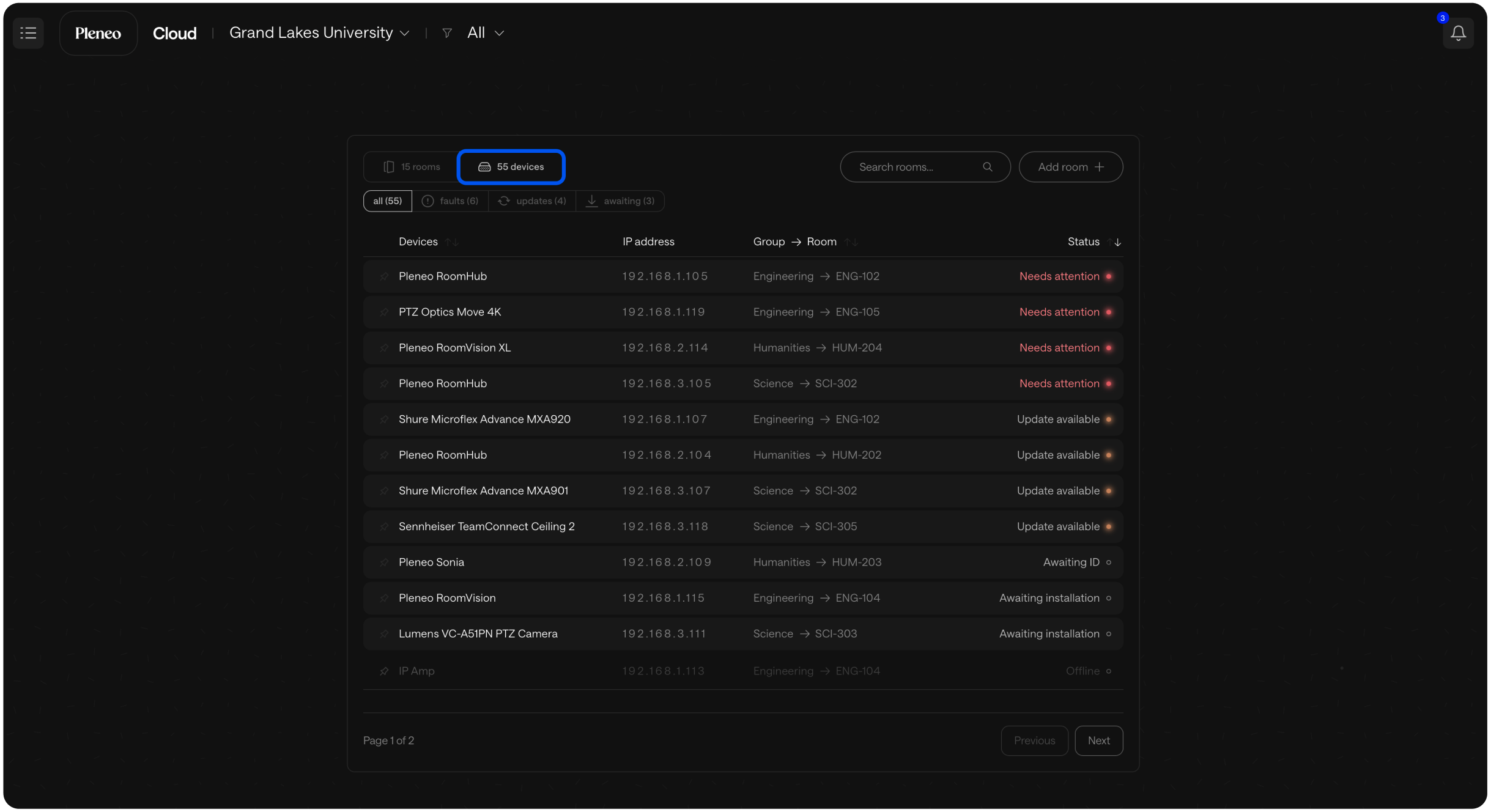
In the main view, you can easily switch between viewing your Pleneo Rooms or seeing all devices within those rooms.
To change views, simply select:
Rooms to see each room and its status
Devices to view every device across your deployment
If you’re looking for something specific, you can also use the search bar to quickly find a room or device by name.
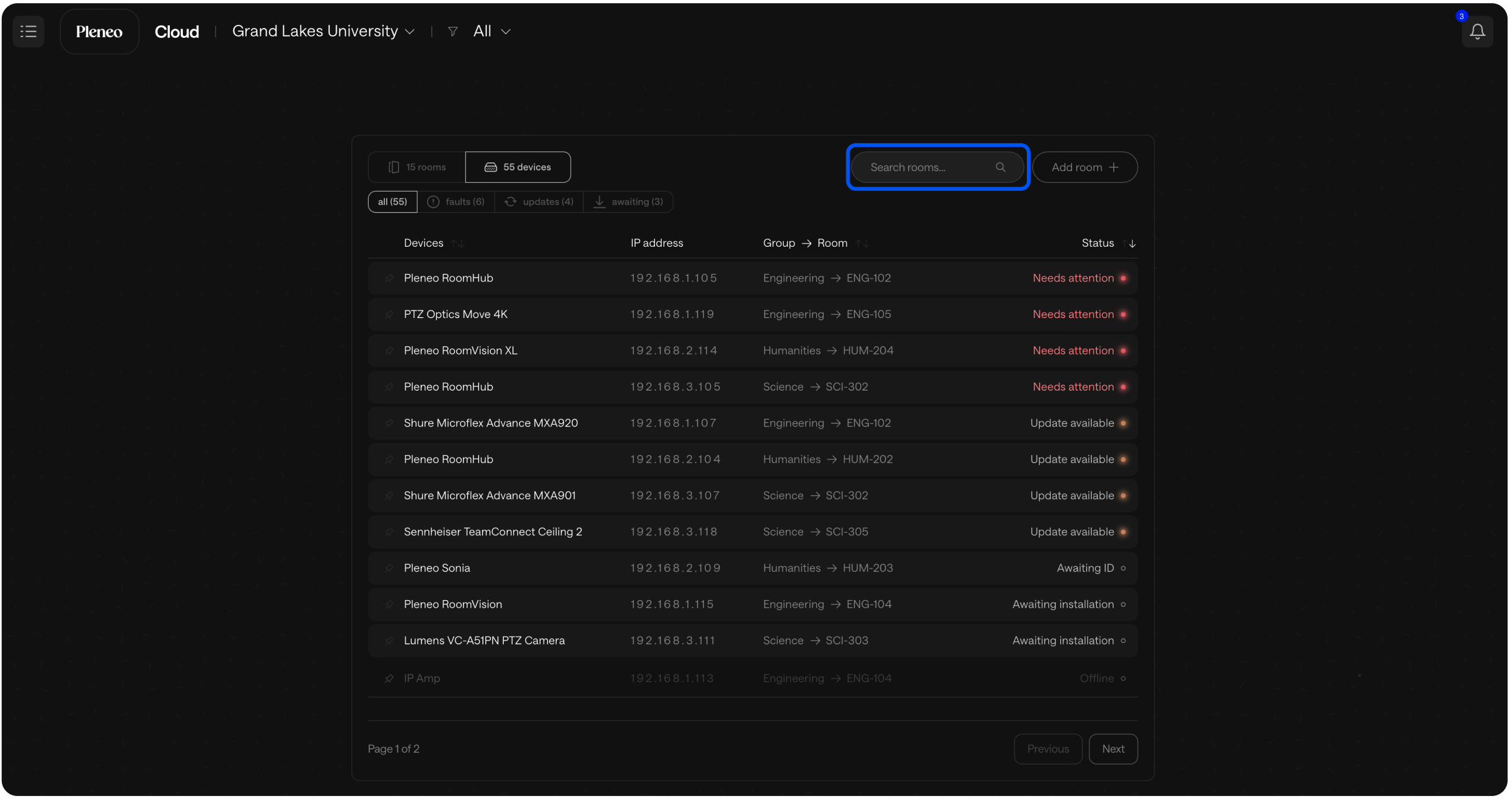
This makes it easy to move between high-level overviews and detailed device views—exactly when you need it.