
Sorting Rooms by Location in Pleneo Cloud
Pleneo Cloud makes it easy to organize and view your rooms exactly the way you need.
Whether you’re managing a single site or many locations, you can quickly filter rooms to stay focused and in control.
Your Main View
When you open Pleneo Cloud, you’ll see all rooms in one clear overview, along with the devices inside each room.
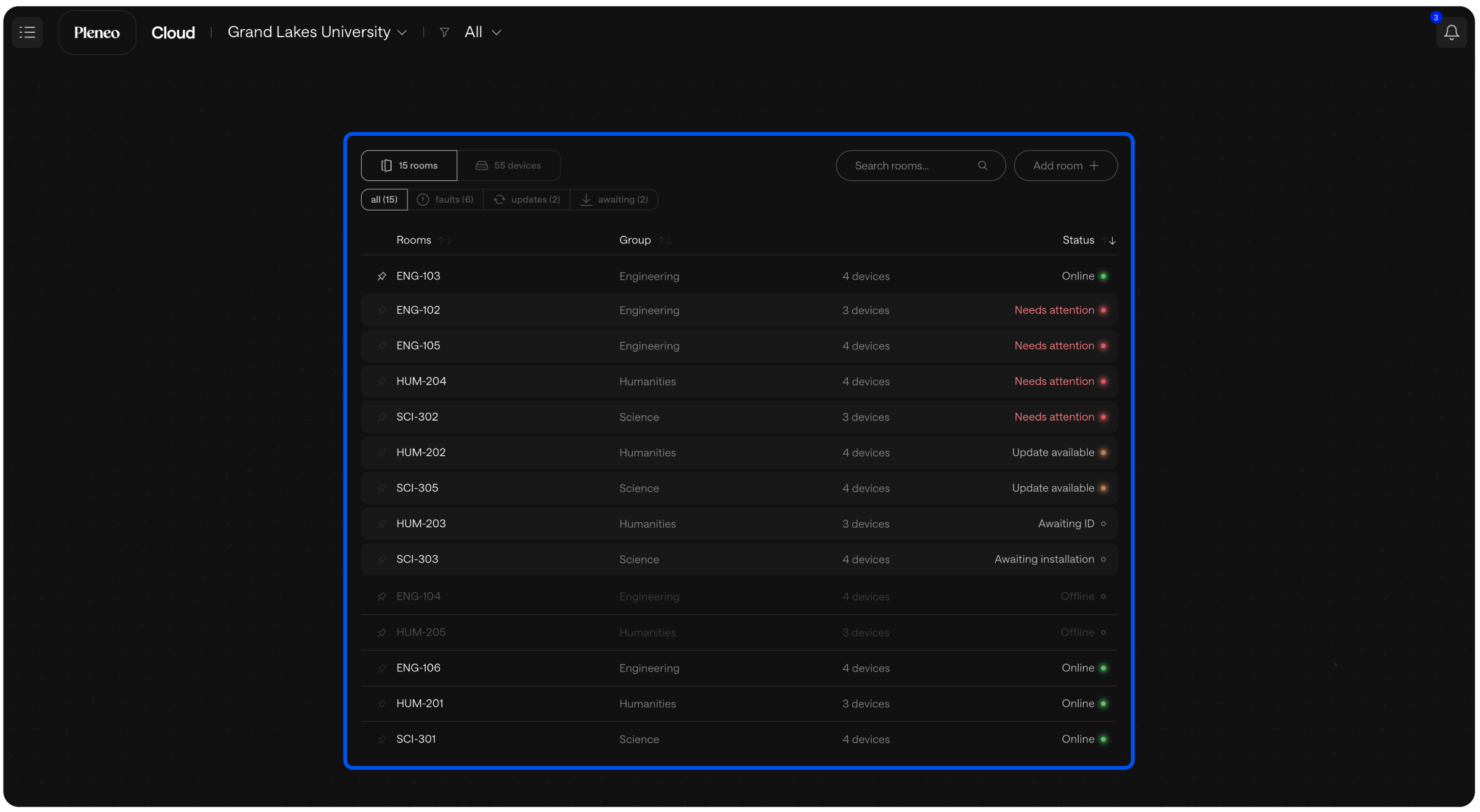
This is your starting point.
Filter by Location
To focus on a specific site or area:
Select the location selector in the main view.
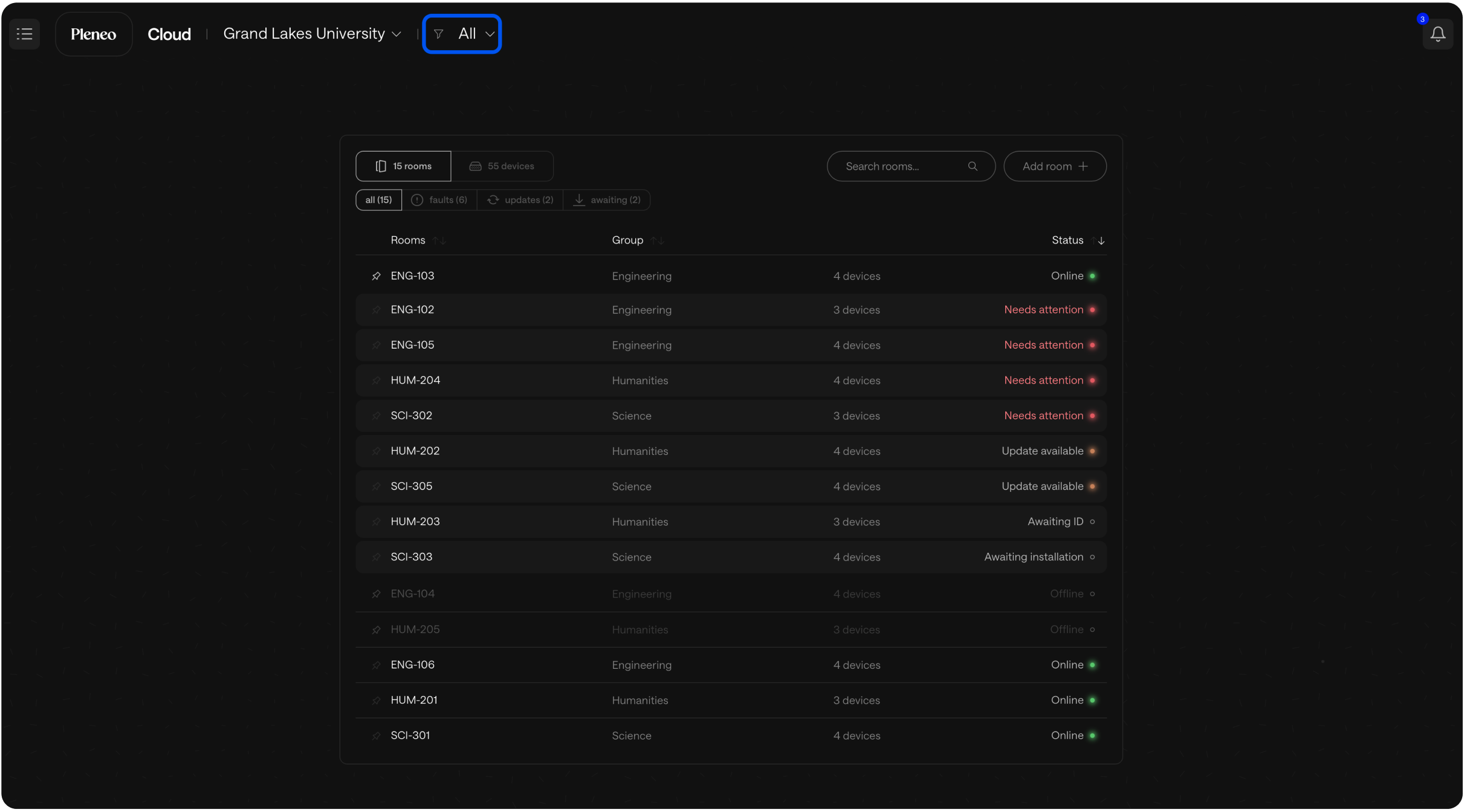
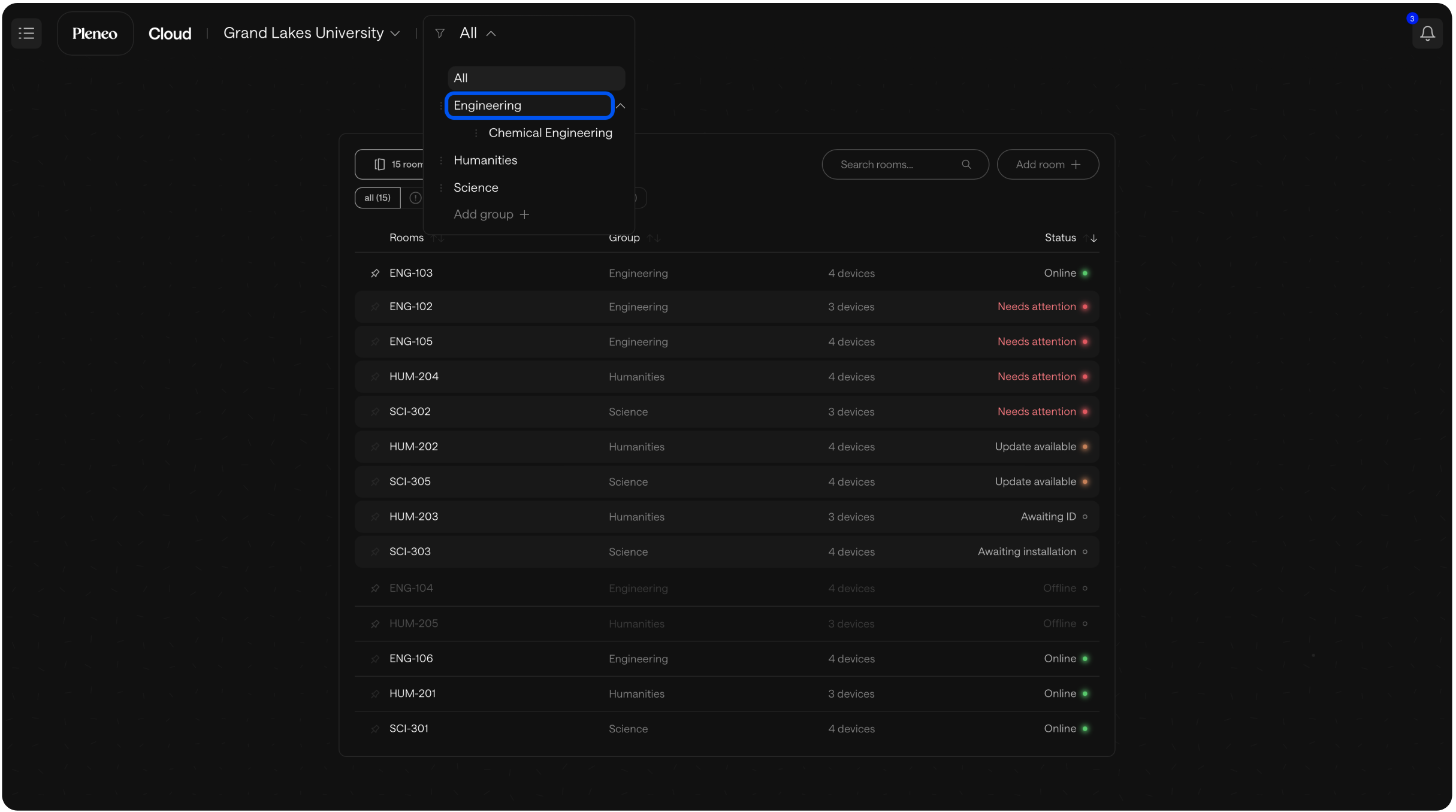
Choose the location you want to see.
The view updates instantly, showing only the rooms in that location.
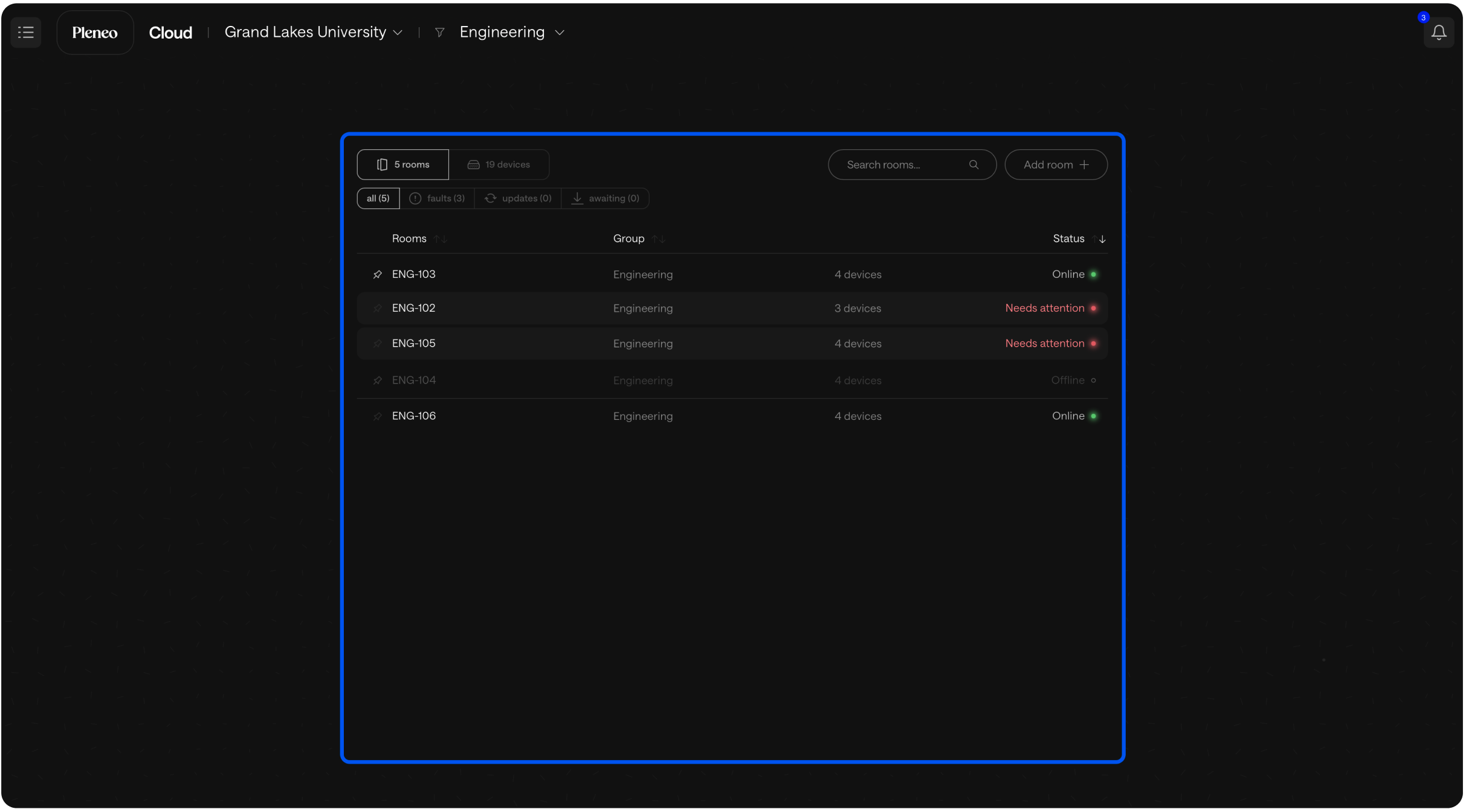
No clutter, just the rooms that matter right now.
Add a New Location
Need to organize rooms in a new way?
Select Add Group.
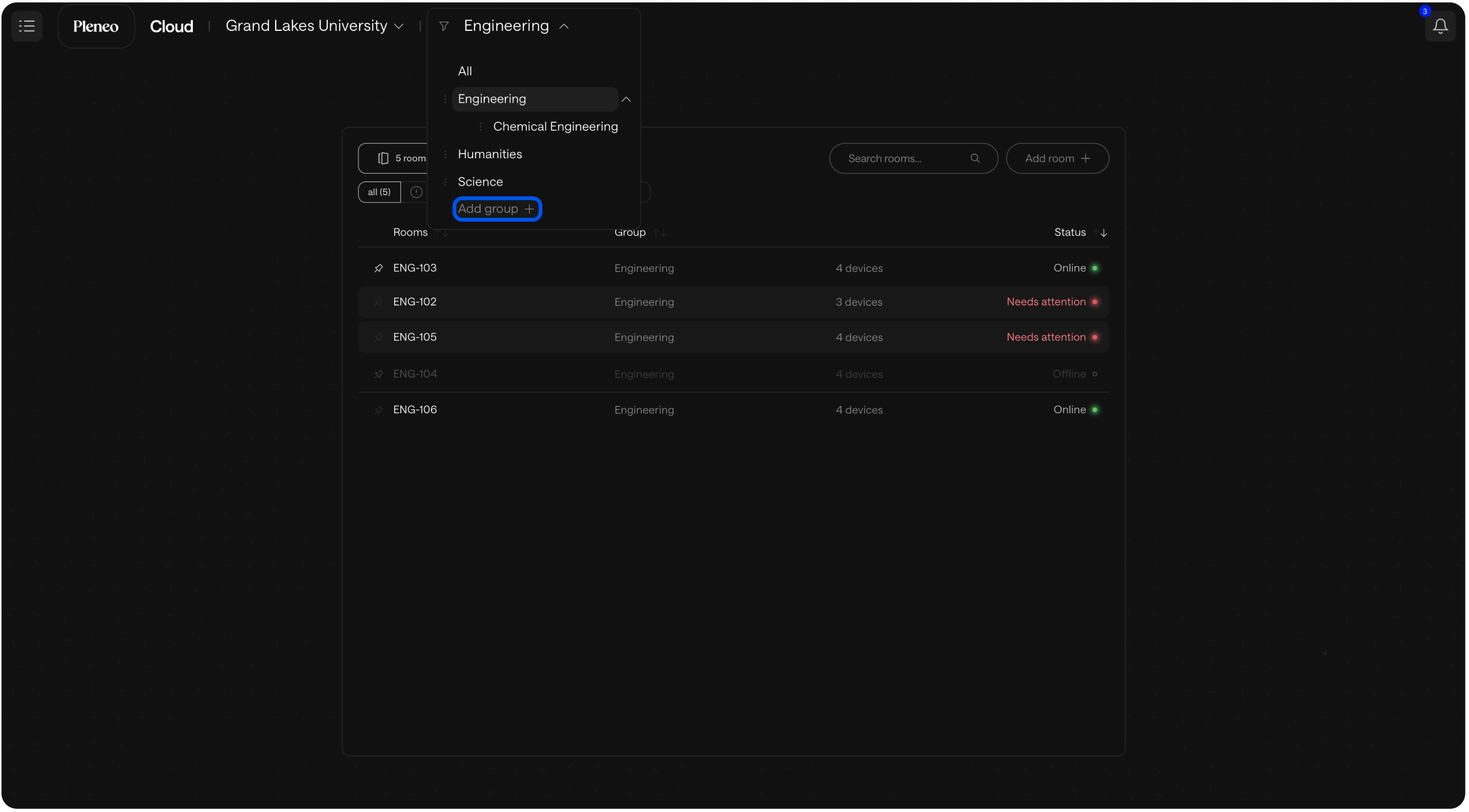
Give the location a name.
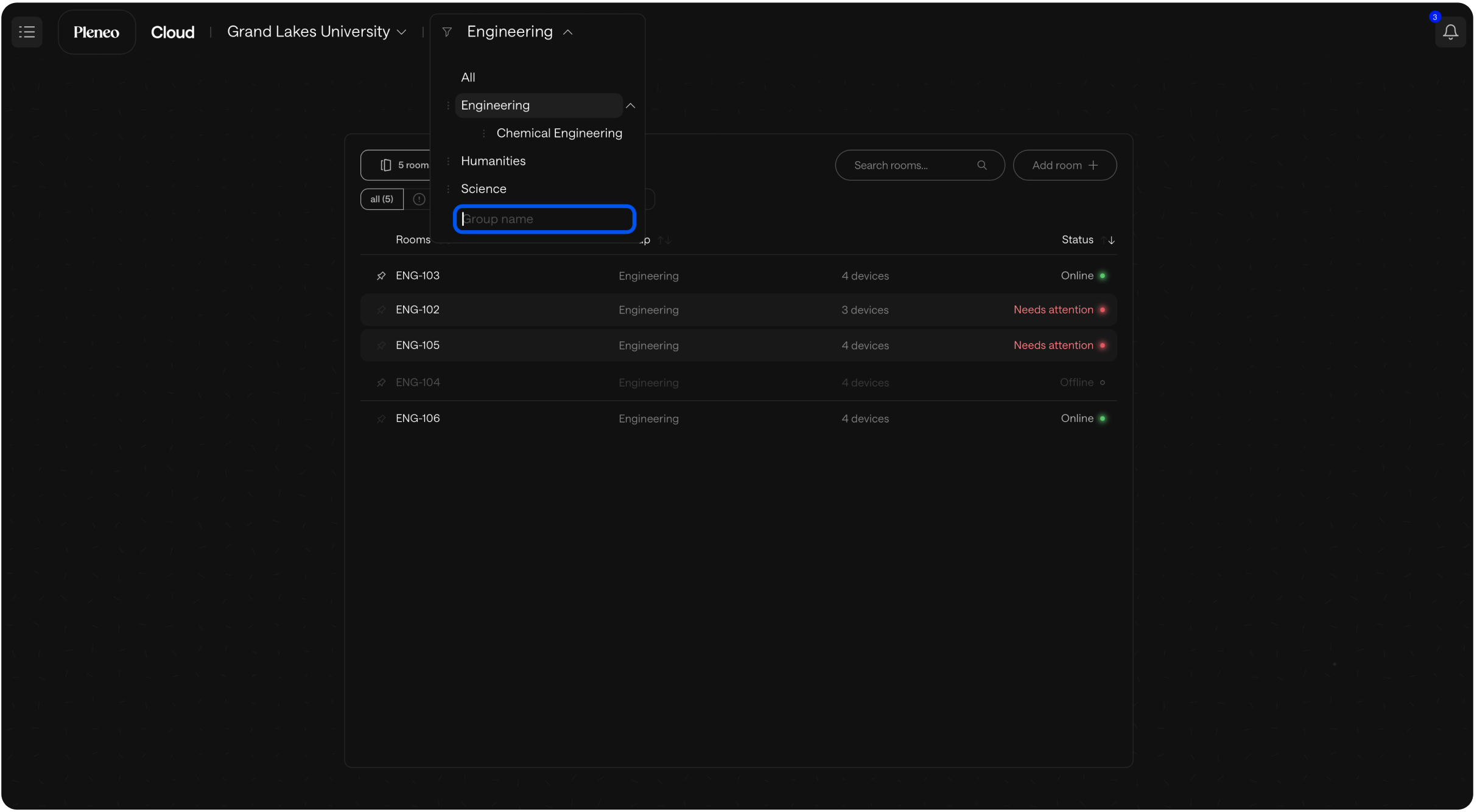
Your new location is now ready to use.
Why It’s Useful
Sorting by location helps you:
Move quickly through large deployments
Focus on one site at a time
Keep rooms structured as your system grows
Everything stays simple, clear, and easy to manage. No matter how many rooms you have.